

Org Charts
Org charts that build themselves.
Live from your HR, payroll, timekeeping and recruiting data. Always current, permission-aware, and ready for the board deck.
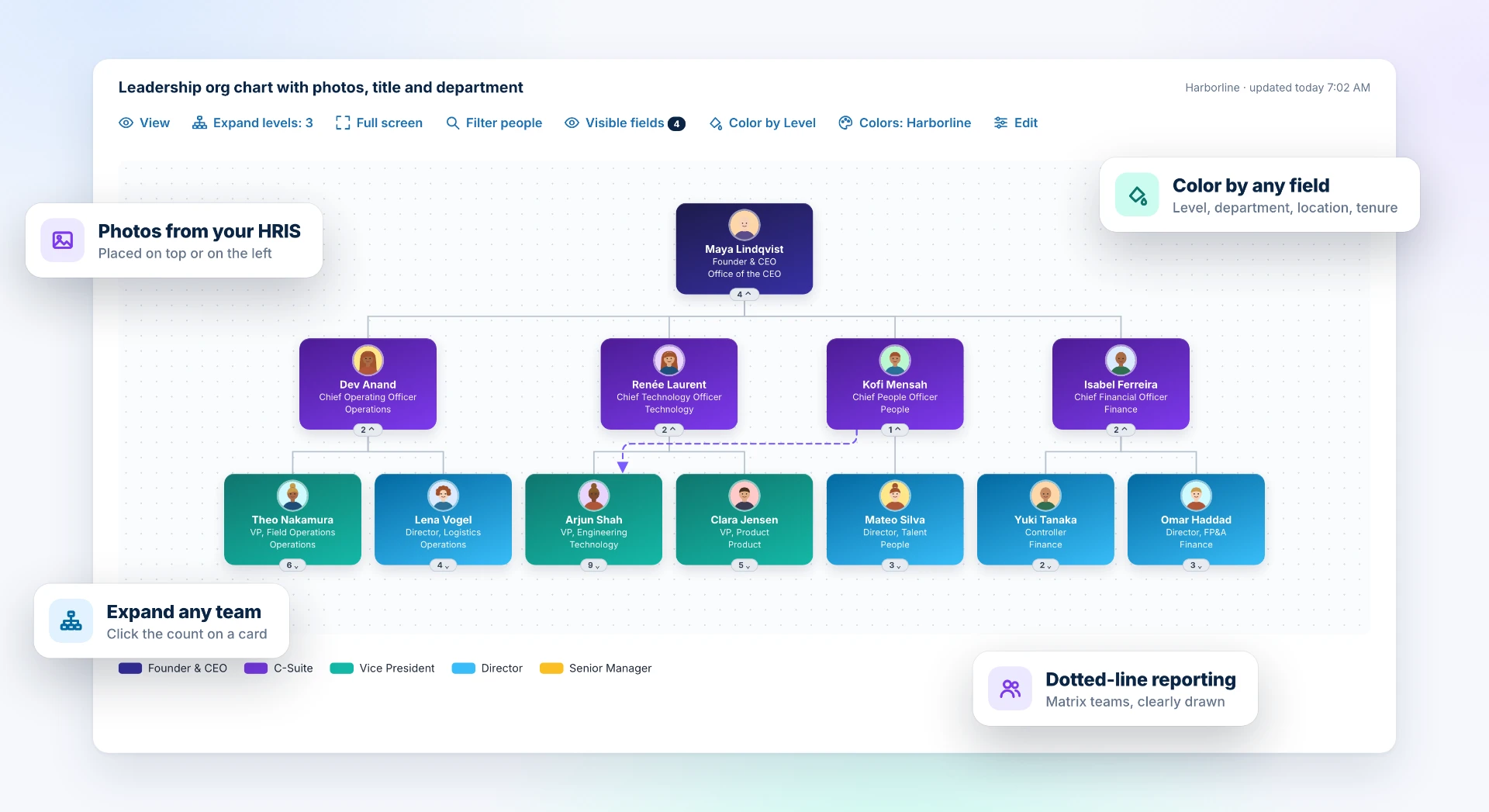
Every system, one card
Show what matters next to each person. Pull in fields from any connected system: badge numbers from timekeeping, overtime from payroll, position numbers from position control, certifications from learning.
- Any field from any source
- Choose which fields show on the card
- Hover a card for the full details
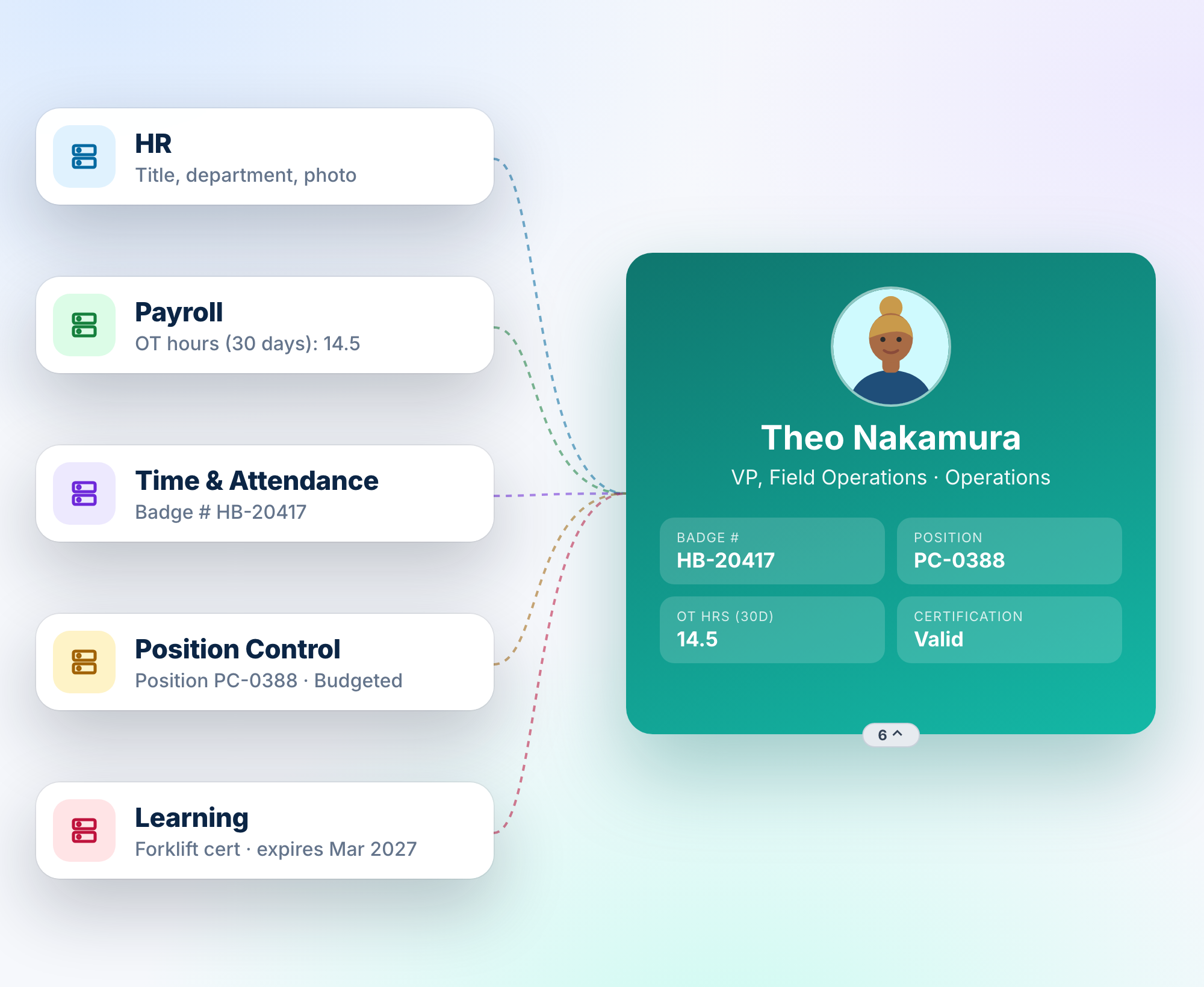
Color tells the story
Color by department, level or location. You can also color by any number, such as overtime, tenure, span of control or PTO balance. Hot spots stand out at a glance.
- 19 color palettes, from Green to Red, Teal, Amber and more
- Automatic number ranges with a legend
- Your brand colors or a custom theme
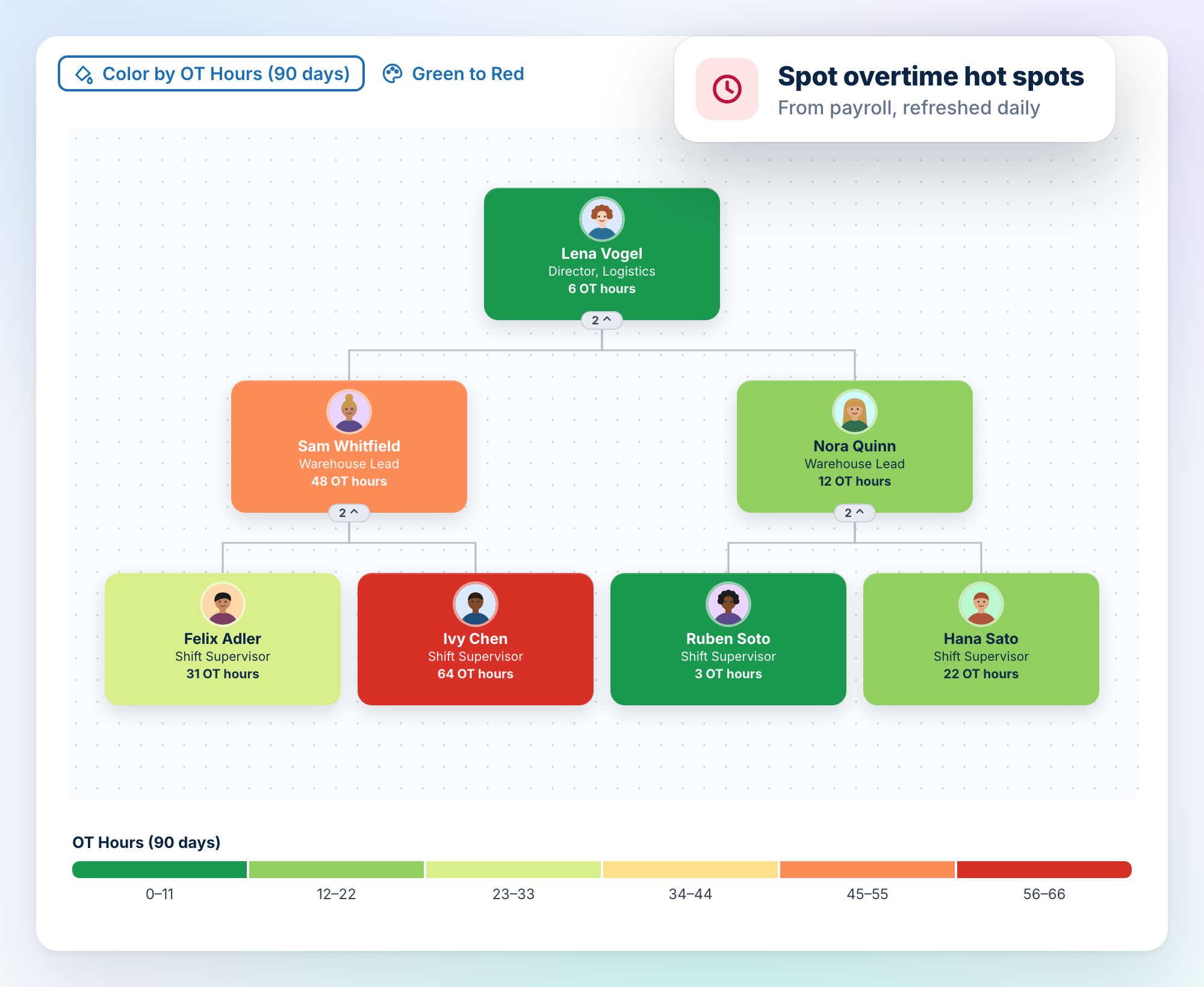
See the seats, not just the people
Open positions appear right in the tree, linked to their requisition or position control number. Hiring managers can see where the gaps are.
- Vacancies from recruiting and position control
- Requisition status on each open seat
- Filled vs open at a glance
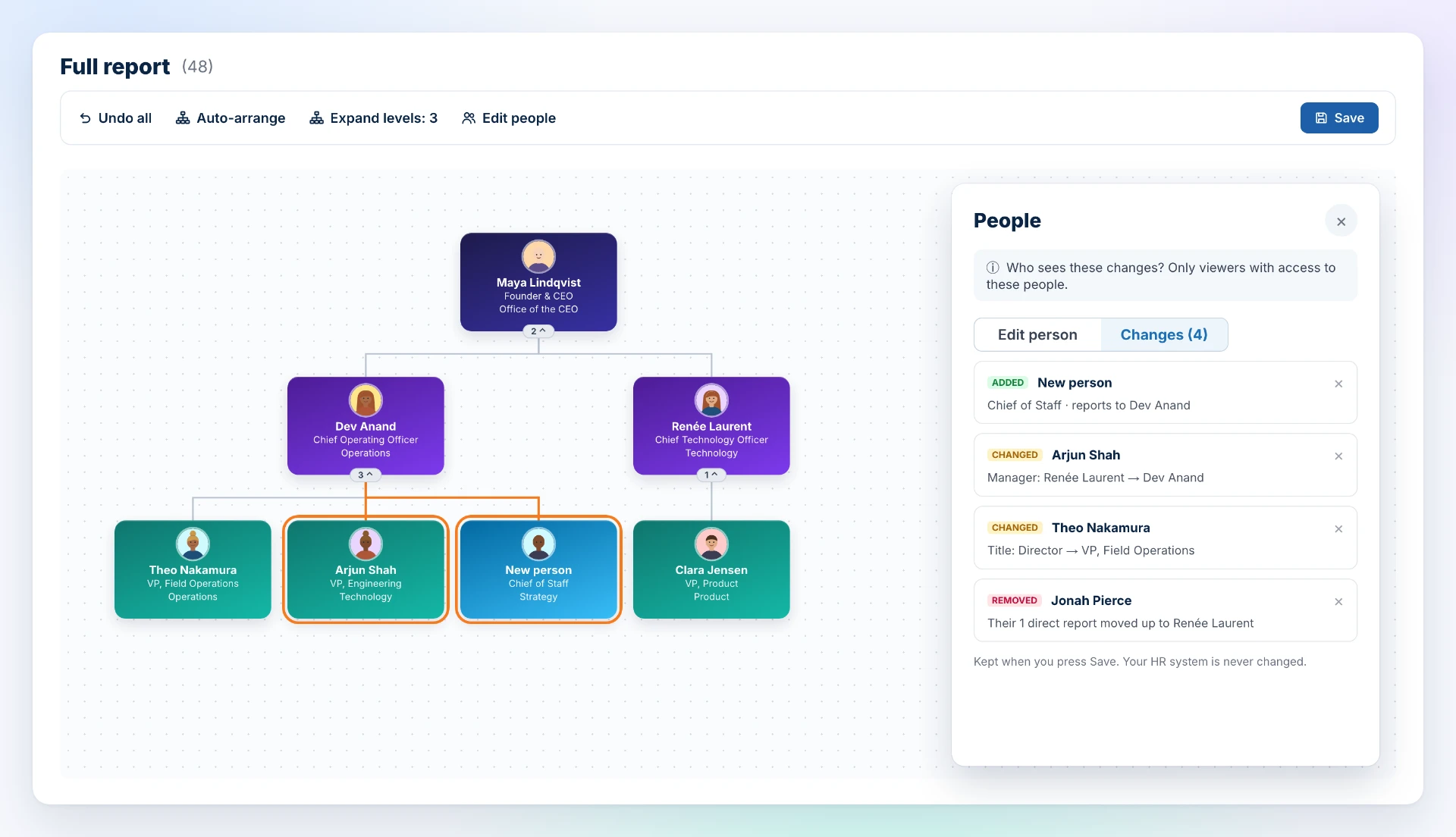
Plan the reorg before you announce it
Move people, add roles and remove positions on a copy of the real chart. Every change is tracked, and your HR system is never touched.
- Drag and drop or reassign managers
- Add a new role, such as a planned Chief of Staff
- Review every change before saving
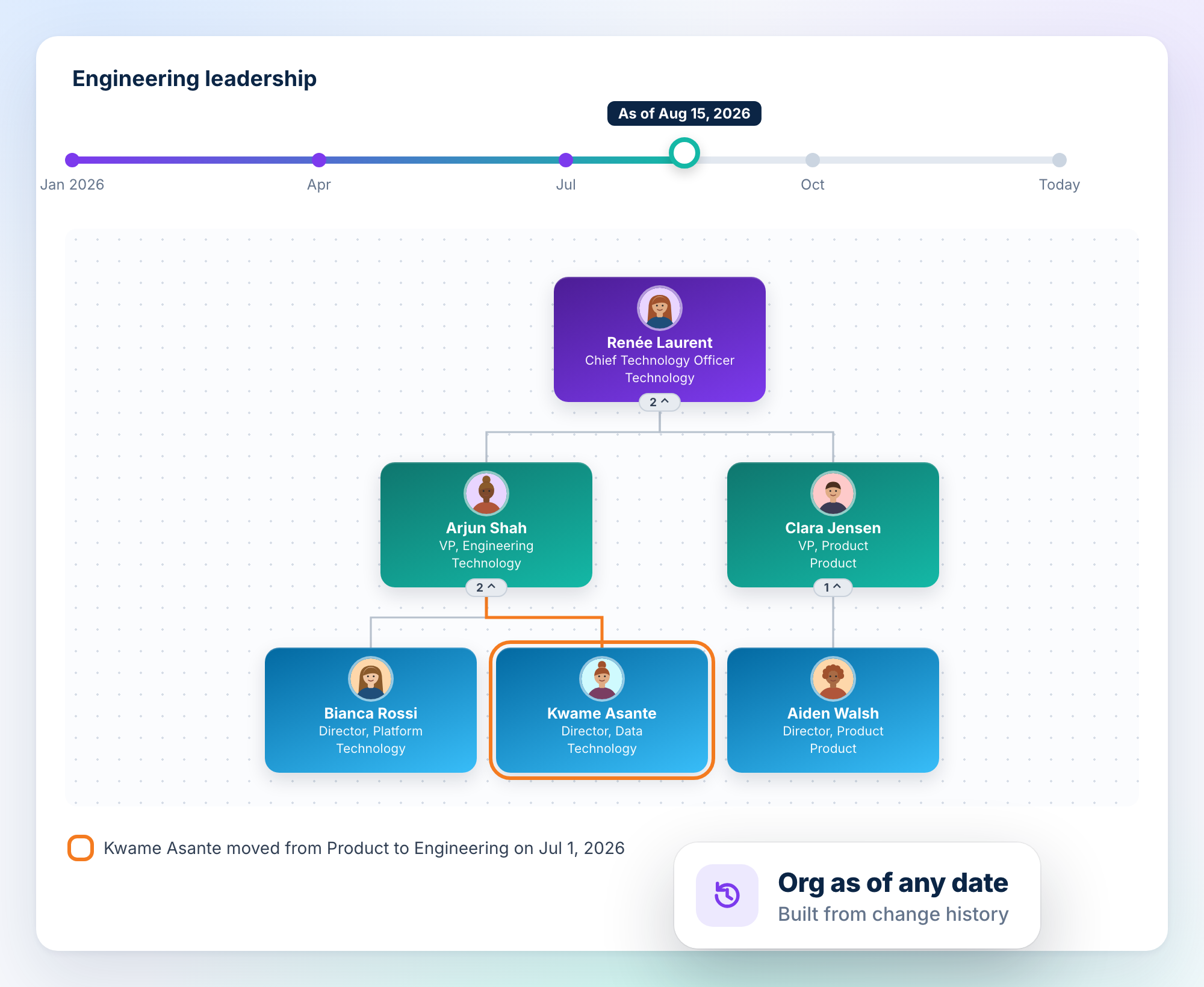
Your org on any date
Change history lets you rebuild the org as of any day. Compare before and after a reorg, or show exactly who reported to whom last quarter.
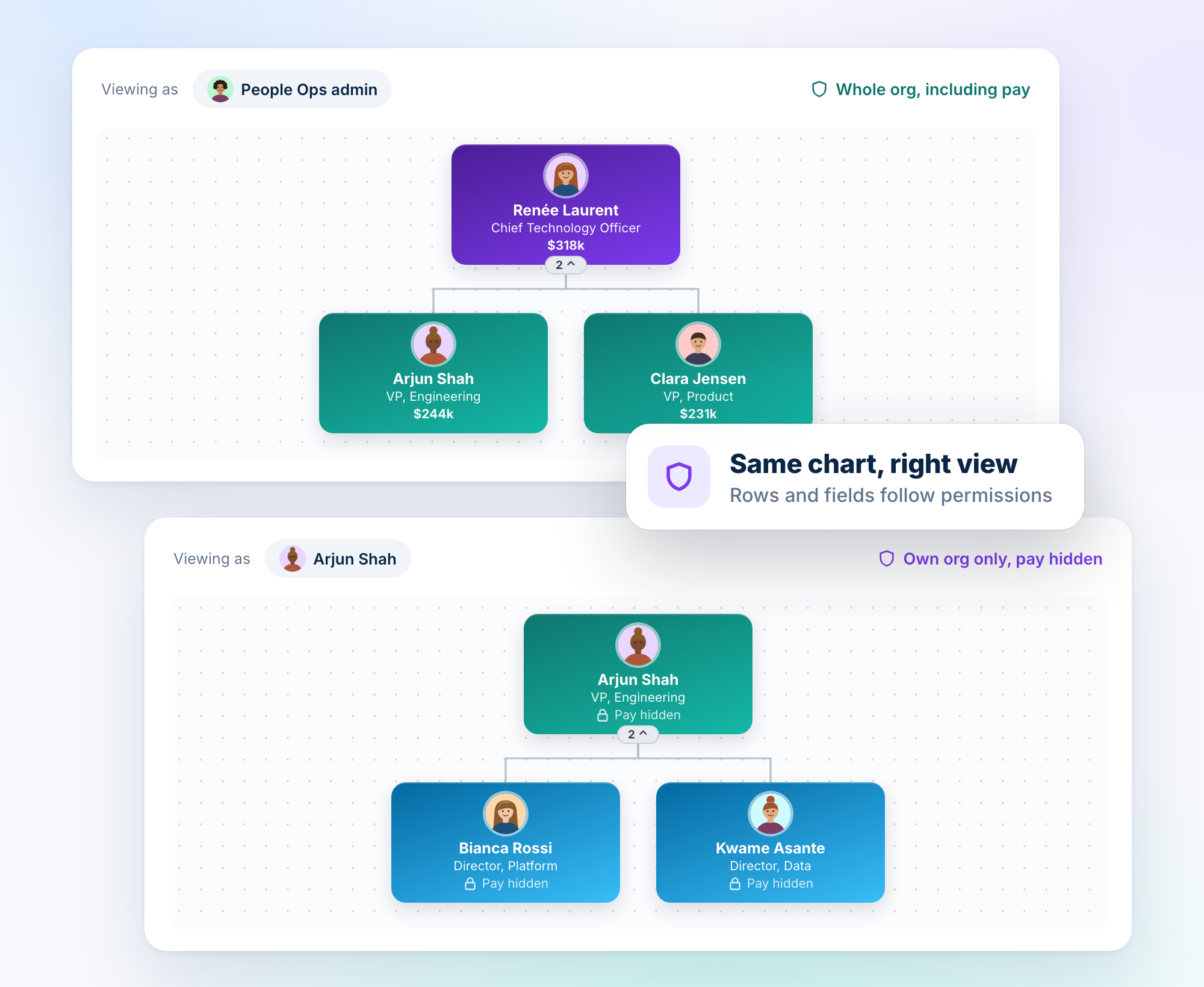
One chart. The right view for everyone.
Share a single chart with the whole company. Each viewer sees only the people and fields they're allowed to see.
- Row-level access: people see only their own org
- Field-level access: pay and other sensitive fields stay hidden
- Admins can preview the chart as any user
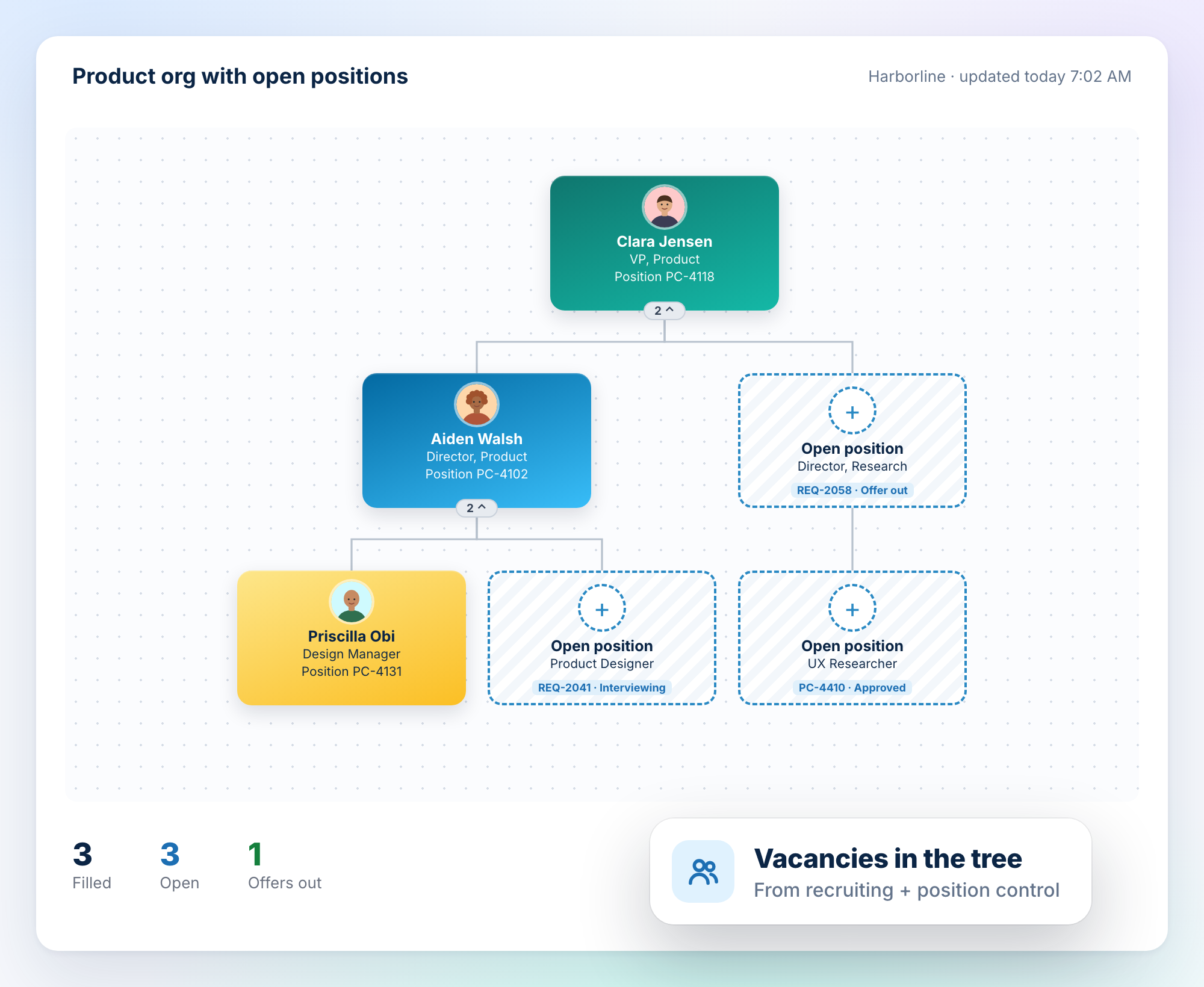
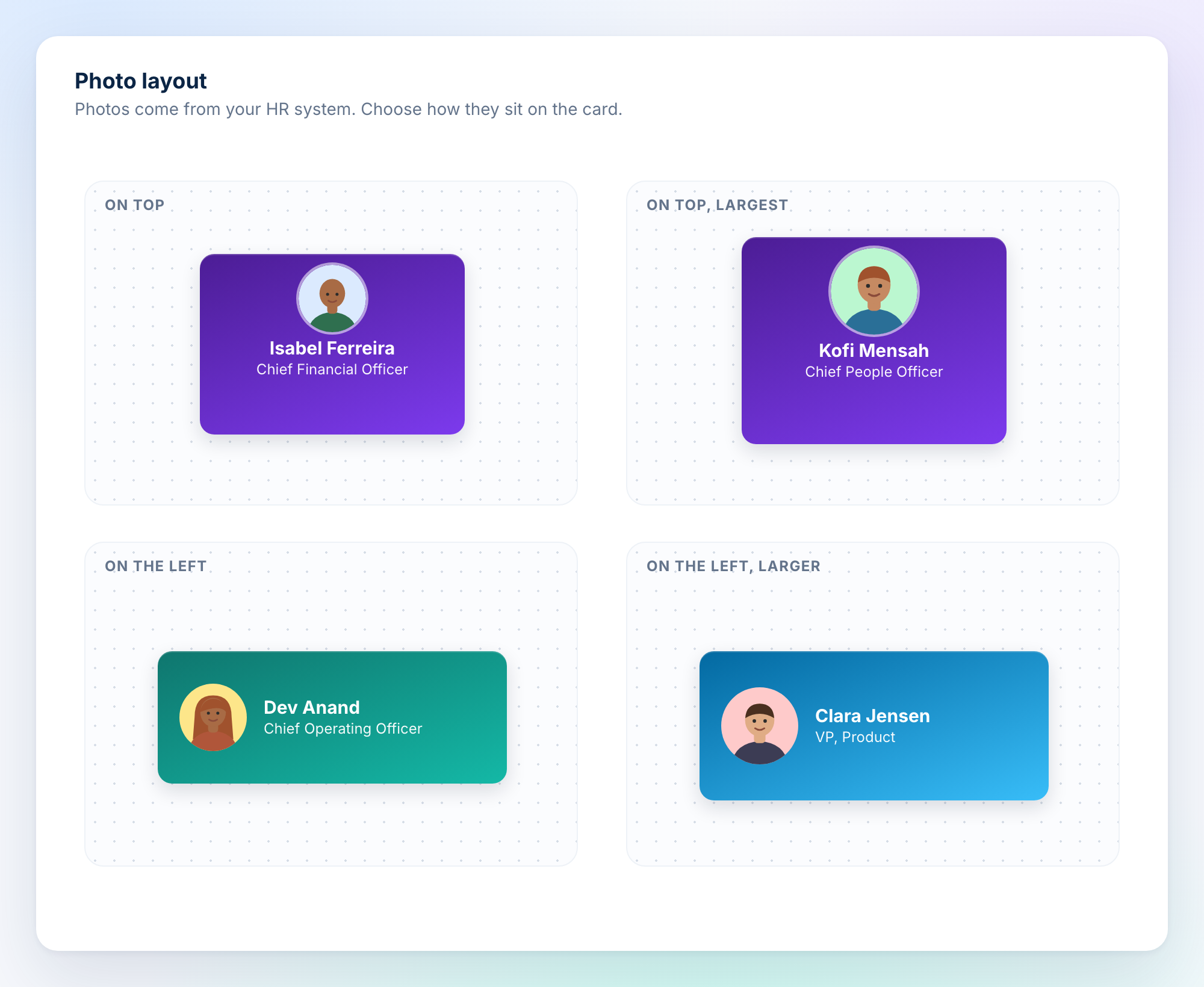
Photos, your way
Profile photos flow in from your HRIS. Place them on top or on the left, at normal, larger or largest size.
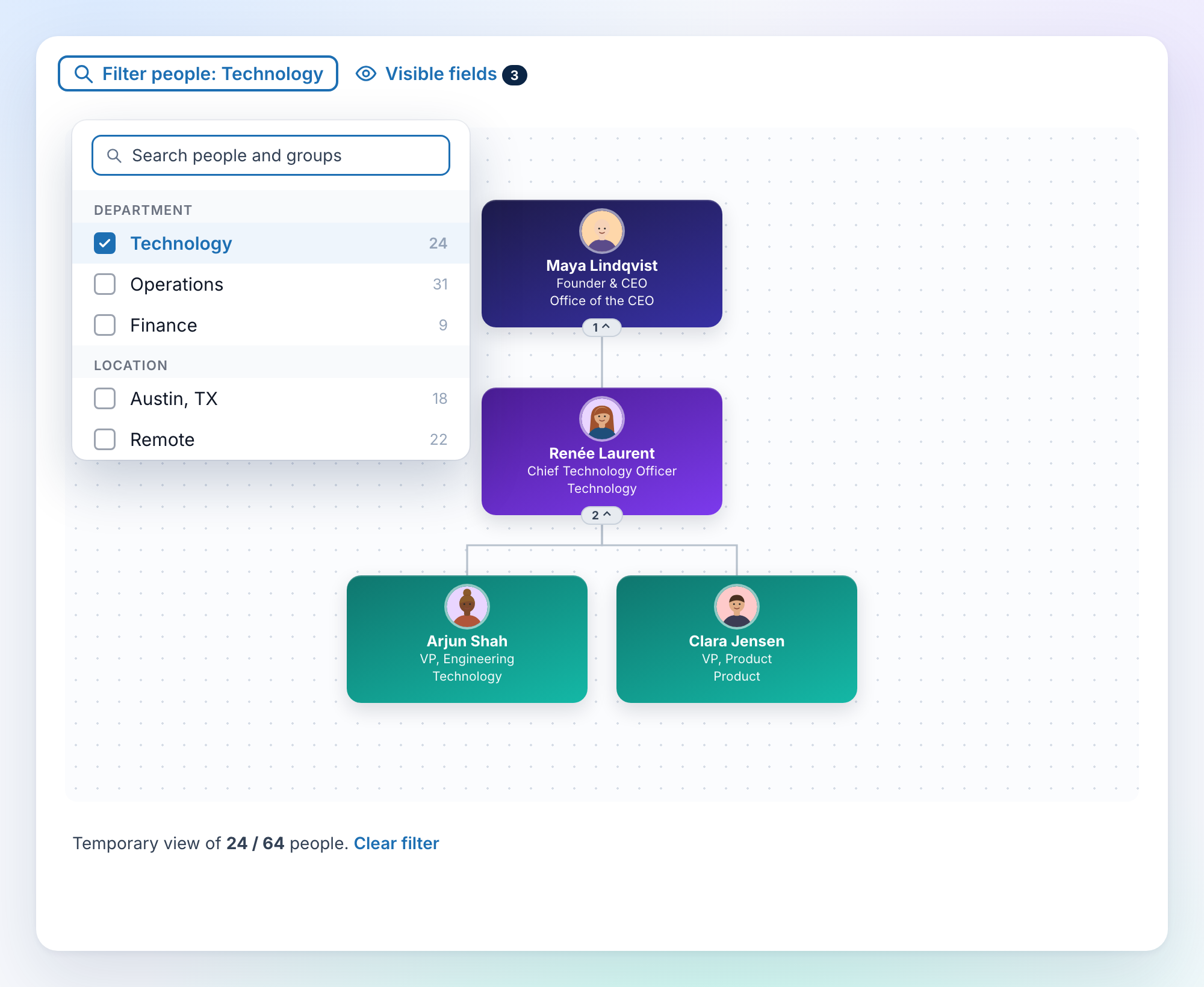
Focus on any team
Filter by person, department or location. Managers stay visible as connectors, so the context is never lost.
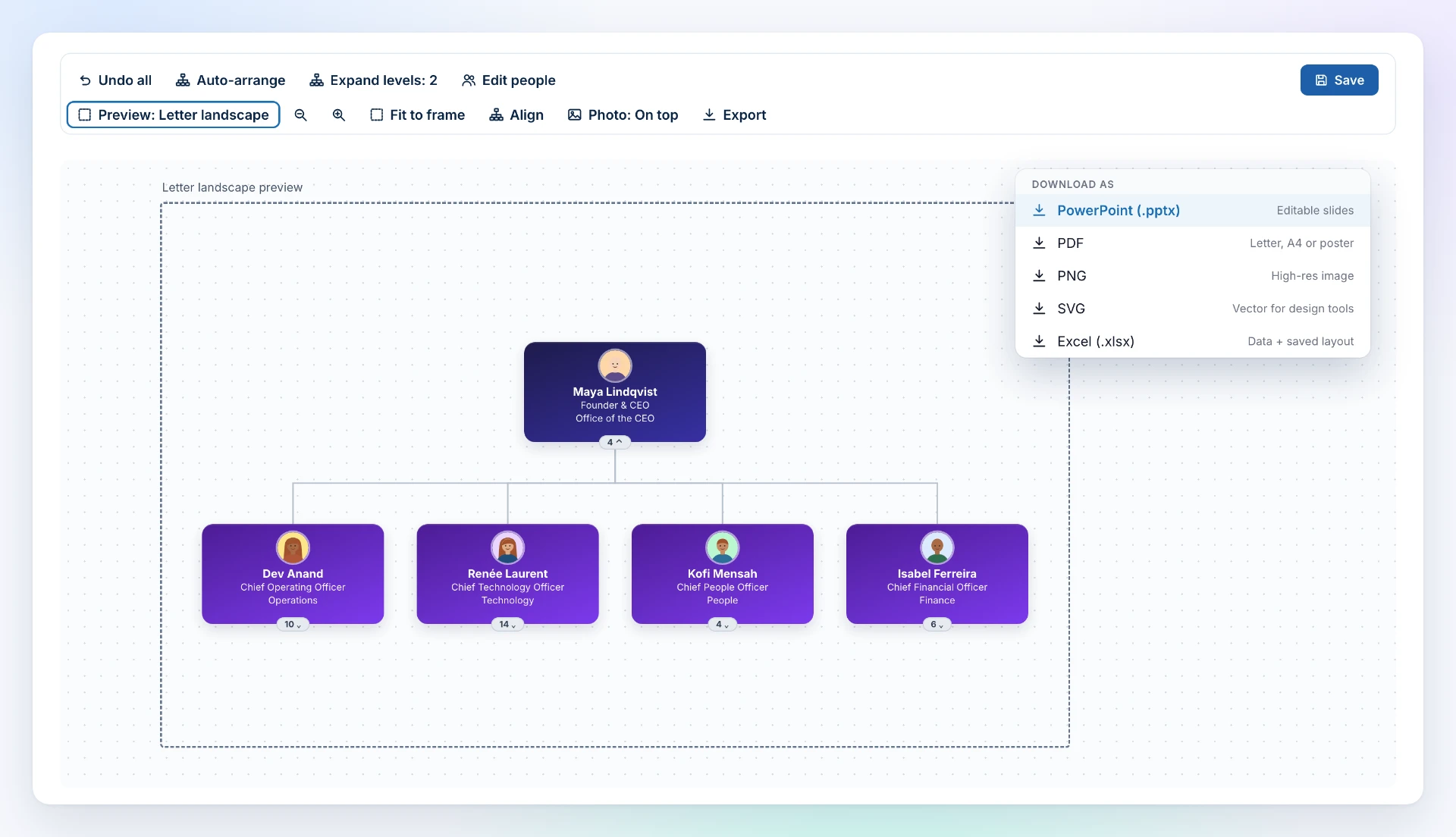
Pixel-perfect for print and slides
Arrange boxes, align them and fit everything to a Letter, A4 or poster frame. Then export.
- PowerPoint, PDF, PNG, SVG and Excel
- Collapse or expand any level before you export
- Saved layouts are reused in every export
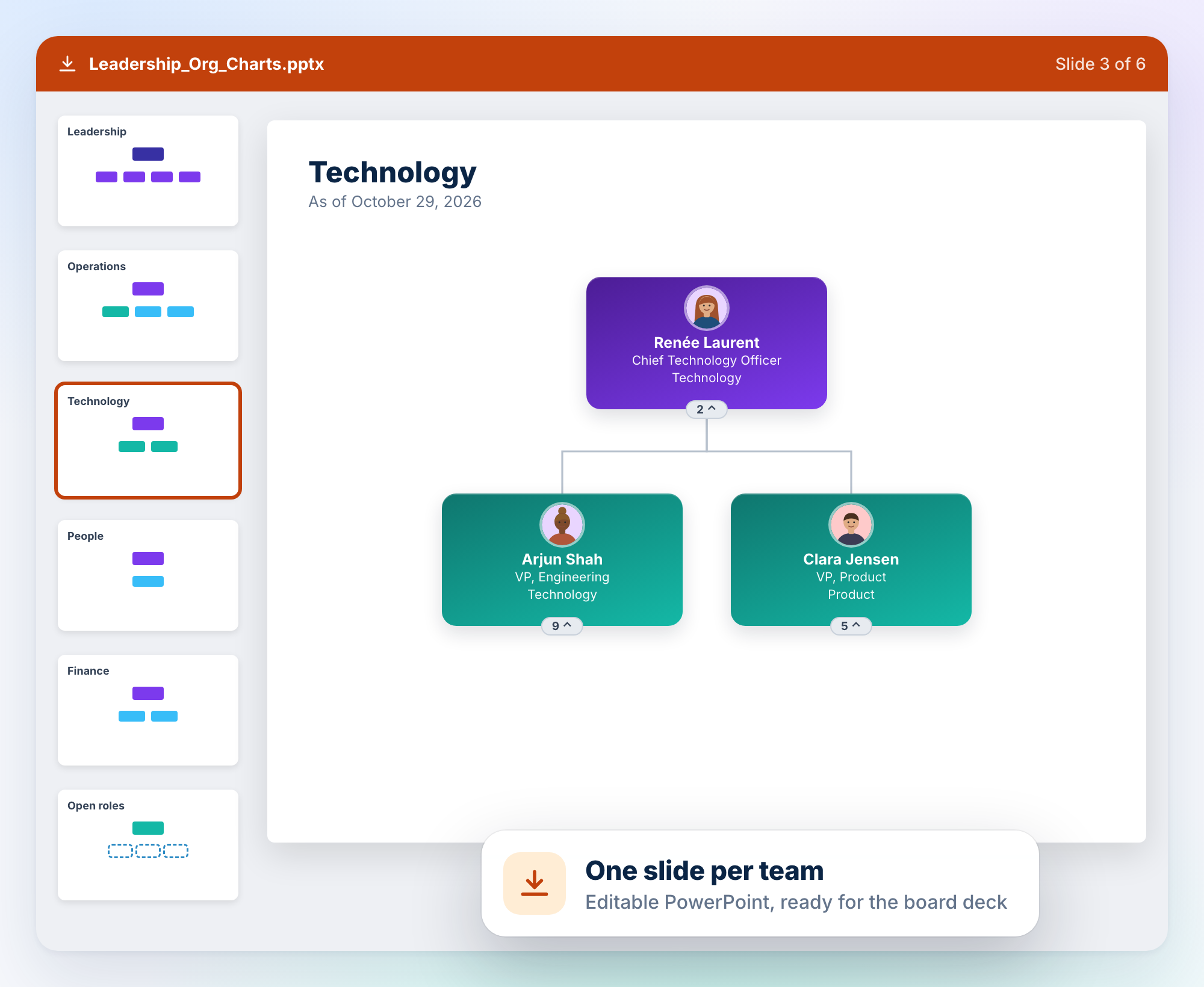
Straight into the board deck
Export one editable slide per team.
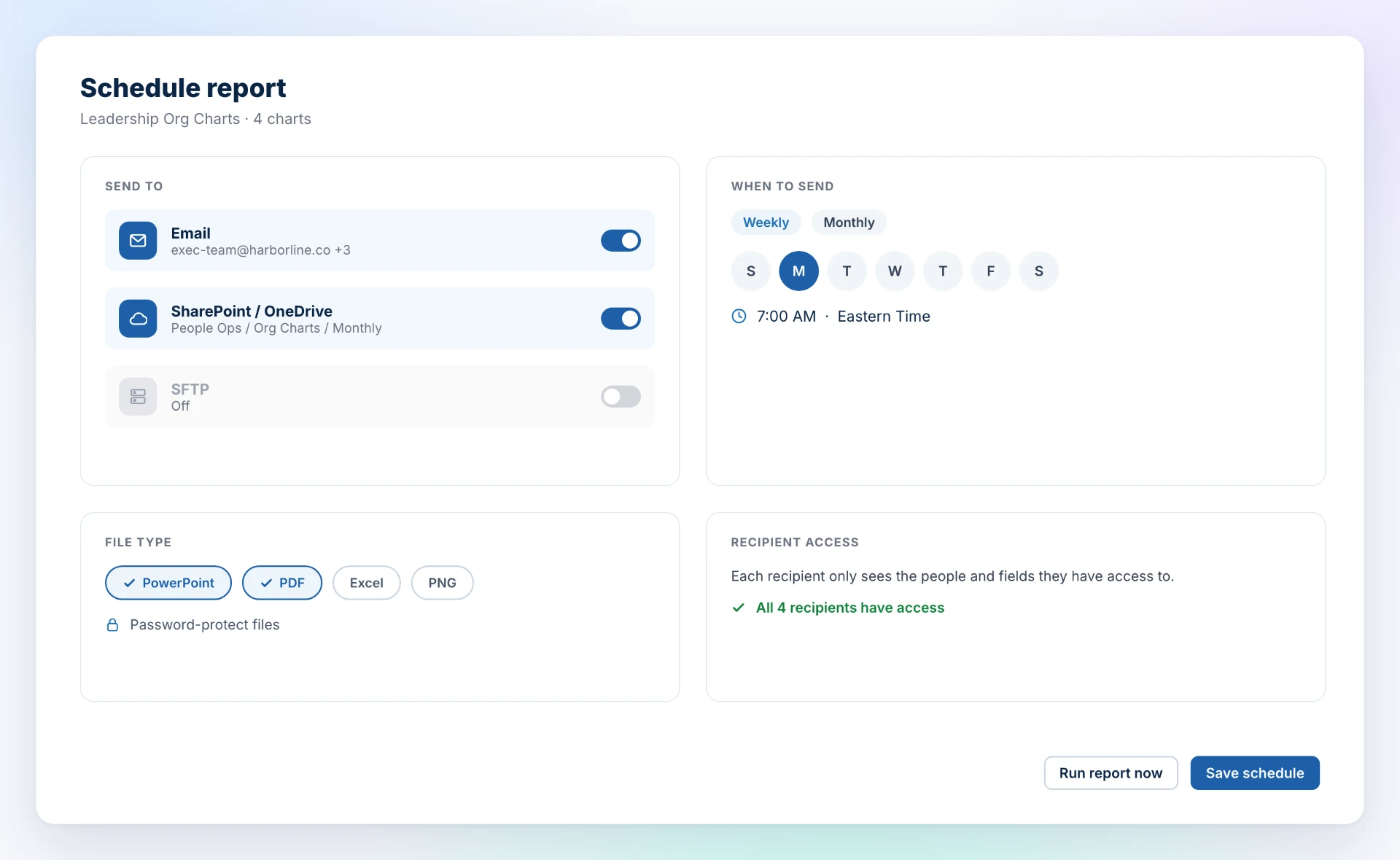
Delivered automatically
Schedule org charts by email, to SharePoint or OneDrive, or over SFTP: weekly, monthly or on demand. Each recipient gets only what they're allowed to see.
Live on your intranet
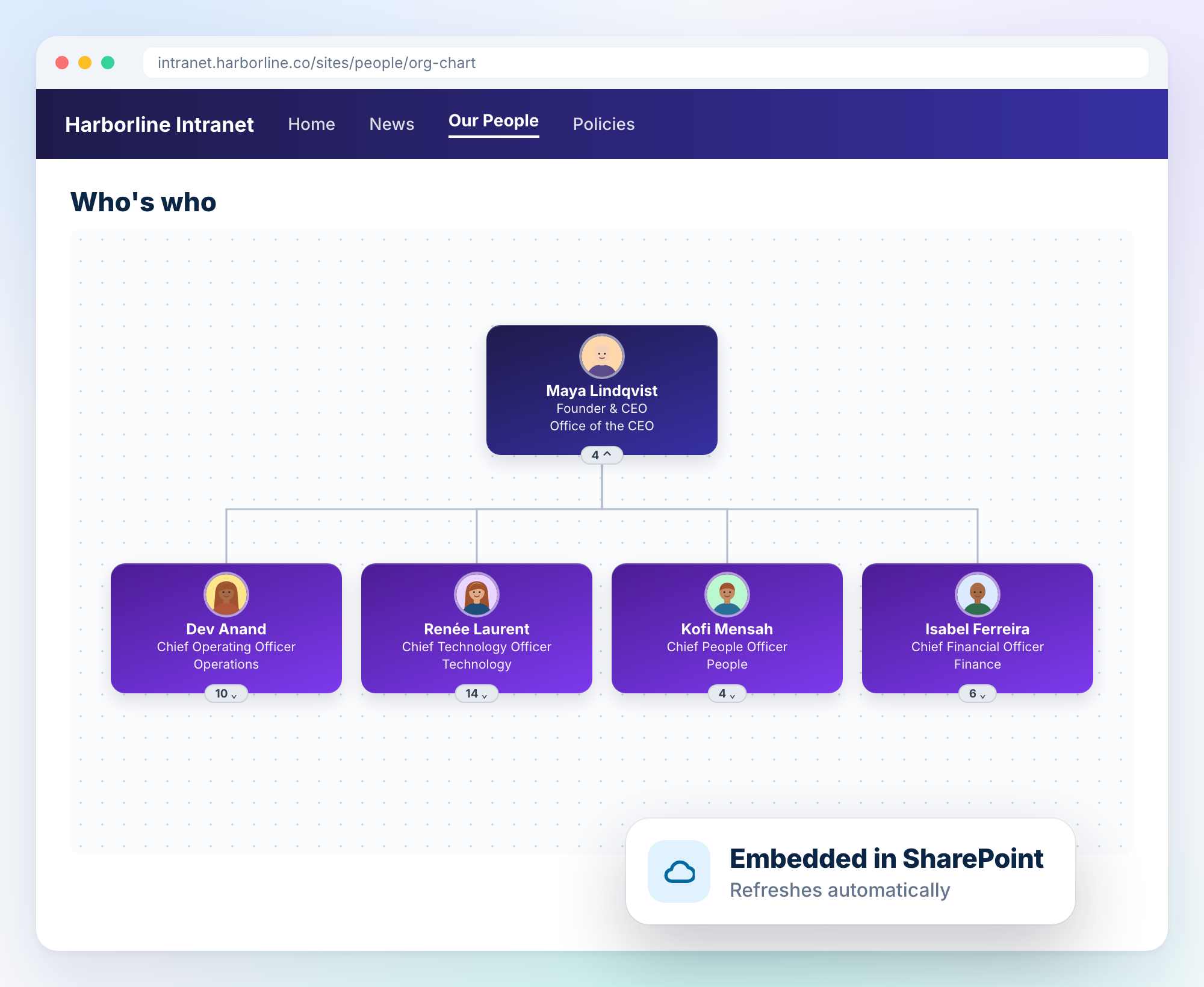
Embed the chart in SharePoint. It refreshes on its own, so “Who's who” is never out of date.
How it compares
| Capability | Praisidio | Manual PowerPoint / Visio | Diagramming tools | Built-in HRIS org chart |
|---|---|---|---|---|
| Updates itself from live data | – | Partial (imports) | ||
| Data from payroll, time, recruiting and more | – | – | – | |
| Color by any field or number | Manual | Manual | Limited | |
| Open positions and requisitions | Manual | Manual | Limited | |
| What-if reorg planning | Copy the file | Copy the file | Limited | |
| Org as of any past date | Old versions only | Old versions only | Rare | |
| Permission-aware (rows and fields) | – | – | ||
| Export to PowerPoint | Native | Rare | ||
| Scheduled email / SharePoint / SFTP delivery | – | – | – | |
| Time to update after a change | Instant | Hours | Hours | Instant |
FAQ
Where does the data come from?▾
From the HR, payroll, timekeeping, recruiting and learning systems you already use. No spreadsheets to keep up to date.
Will a draft reorg change our HR system?▾
No. What-if changes only affect the chart.
Can I still get a PowerPoint?▾
Yes. You can export editable slides at any time or schedule them to arrive automatically.
Can I create an org chart with a prompt?▾
Yes. Describe the chart you want in plain language, for example "Show the sales org under the VP of Sales, colored by location," and Praisidio builds it from your live data.
Can I still change the layout myself?▾
Yes. Drag and drop boxes with your mouse to rearrange the layout freely, whether the chart was built automatically or from a prompt.
Stop redrawing your org chart.
Connect your systems once. Get a chart that's always right.
Book a demo